Billing & plans
mcppipe has three plans. The quotas, prices, and feature copy below are the
single source mcppipe enforces and reports — the dashboard Billing page
and the public pricing page render the same numbers from GET /api/plans.
| Plan | Price | Bandwidth / month | Tool calls / month | Tunnels | Concurrent sessions / tunnel | Call history |
|---|---|---|---|---|---|---|
| Free | $0 | 5 GB | 100,000 | 2 | 3 | 24 hours |
| Pro | $12 / month · $120 / year | 25 GB | 1,000,000 | 5 | 10 | 30 days |
| Scale | $39 / month · $390 / year | 100 GB | 5,000,000 | 20 | 25 | 60 days |
- Pro and Scale are flat per-account prices, not per seat. Scale is the step up when you outgrow Pro’s caps — 20 tunnels, each able to carry its own custom domain, and 60-day event retention.
- Annual billing is roughly ten months’ worth of monthly price — two months free. Toggle monthly / annual on the dashboard’s Billing page or on the public pricing page.
All governance and observability features (per-tool JSON-RPC inspection, allow/deny tool policy, rate limits, field-level redaction, per-method metrics, rug-pull alerts, and zero-knowledge mode) are available on every tier, including Free. What a paid plan buys is scale — tunnels, sessions, volume and history — plus one capability: custom domains, which require Pro or above.
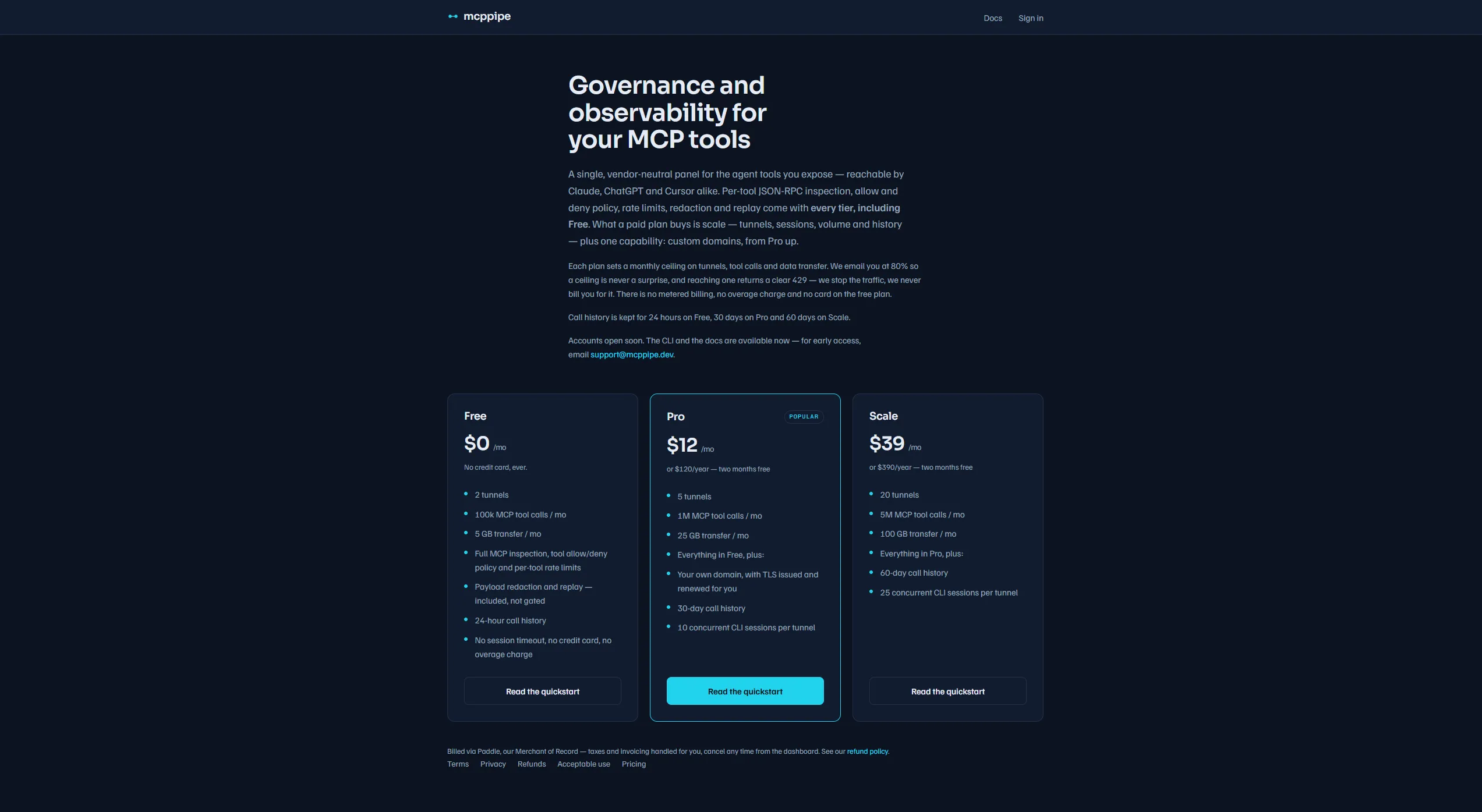 The public pricing page shows the same plans and prices as the dashboard Billing page.
Concurrent sessions per tunnel
Section titled “Concurrent sessions per tunnel”Each plan caps how many agent sessions can be connected to a single tunnel at
once (so Claude, Cursor, and a CI job can share one tunnel — see
Reliability). When you exceed the cap, mcppipe
returns an honest session_limit error instead of silently killing an existing
session. Raise the cap by upgrading the plan, or split traffic across more
tunnels.
How quota is enforced
Section titled “How quota is enforced”Bandwidth and tool calls are metered per calendar month and reset on the 1st.
-
Bandwidth and tool calls — when a tunnel goes over its monthly limit, mcppipe stops forwarding and returns HTTP
429instead of passing the request through. The body is a JSON-RPC error envelope so an agent’s error handler treats it like any other tool error:{"jsonrpc": "2.0","id": 42,"error": {"code": -32000,"message": "Quota exceeded for this tunnel","data": { "policy_code": "quota_exceeded", "reason": "monthly tool-call limit reached", "http_status": 429 }}}The response also carries an
x-mcppipe-error: quota_exceededheader, and the dashboard surfaces an upgrade link. You are never billed for an over-limit request — it is refused, not metered as overage. -
Tunnel count — creating a tunnel beyond your plan’s limit is refused with HTTP
402 Payment Requiredand a message like “the free plan allows 2 tunnel(s) — upgrade your plan to create more”. The cap check and insert run in one transaction, so two concurrent creates can’t both slip past the limit. -
Concurrent sessions — over the per-tunnel session cap, mcppipe rejects the new session with a
session_limiterror.
A one-shot quota.warning event fires at roughly 80% of a limit, which you can
receive via webhooks.
Checkout
Section titled “Checkout”mcppipe uses Paddle as the
Merchant of Record. Paddle is the seller of record and collects and
remits VAT / sales tax — your card details never touch mcppipe’s servers.
Choosing Upgrade to Pro or Upgrade to Scale on the Billing page opens a hosted Paddle checkout for the selected plan and cycle (monthly or annual). When payment completes, a signed webhook updates your plan — usually within seconds, with no restart and no action on your side. The cached plan is evicted immediately, so the new tier’s quota applies at once.
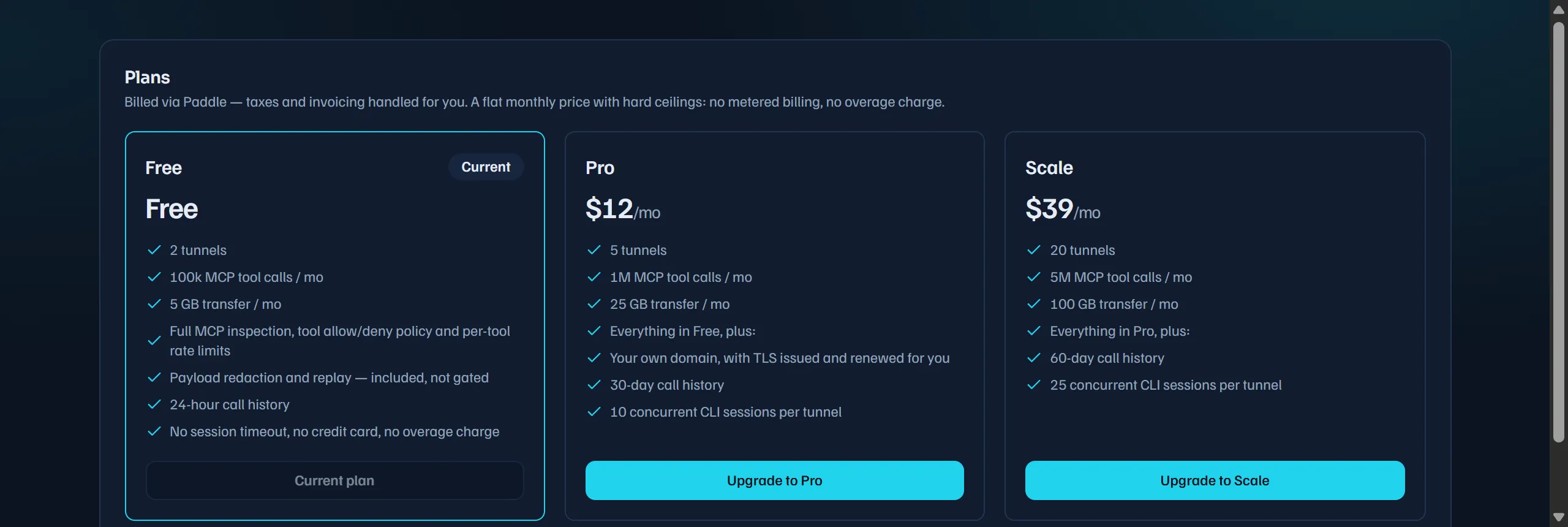 Plan cards on the dashboard Billing page; the current plan is marked.
Managing your subscription
Section titled “Managing your subscription”Once you have an active subscription, Manage subscription on the Billing page opens the Paddle customer portal, where you can update payment details, change plan, or cancel.
- A cancelled subscription keeps its paid tier until the current period ends, then drops to Free.
- An expired or unpaid subscription drops to Free immediately.
When an account returns to Free, the Free limits apply on the next request.
Usage meters
Section titled “Usage meters”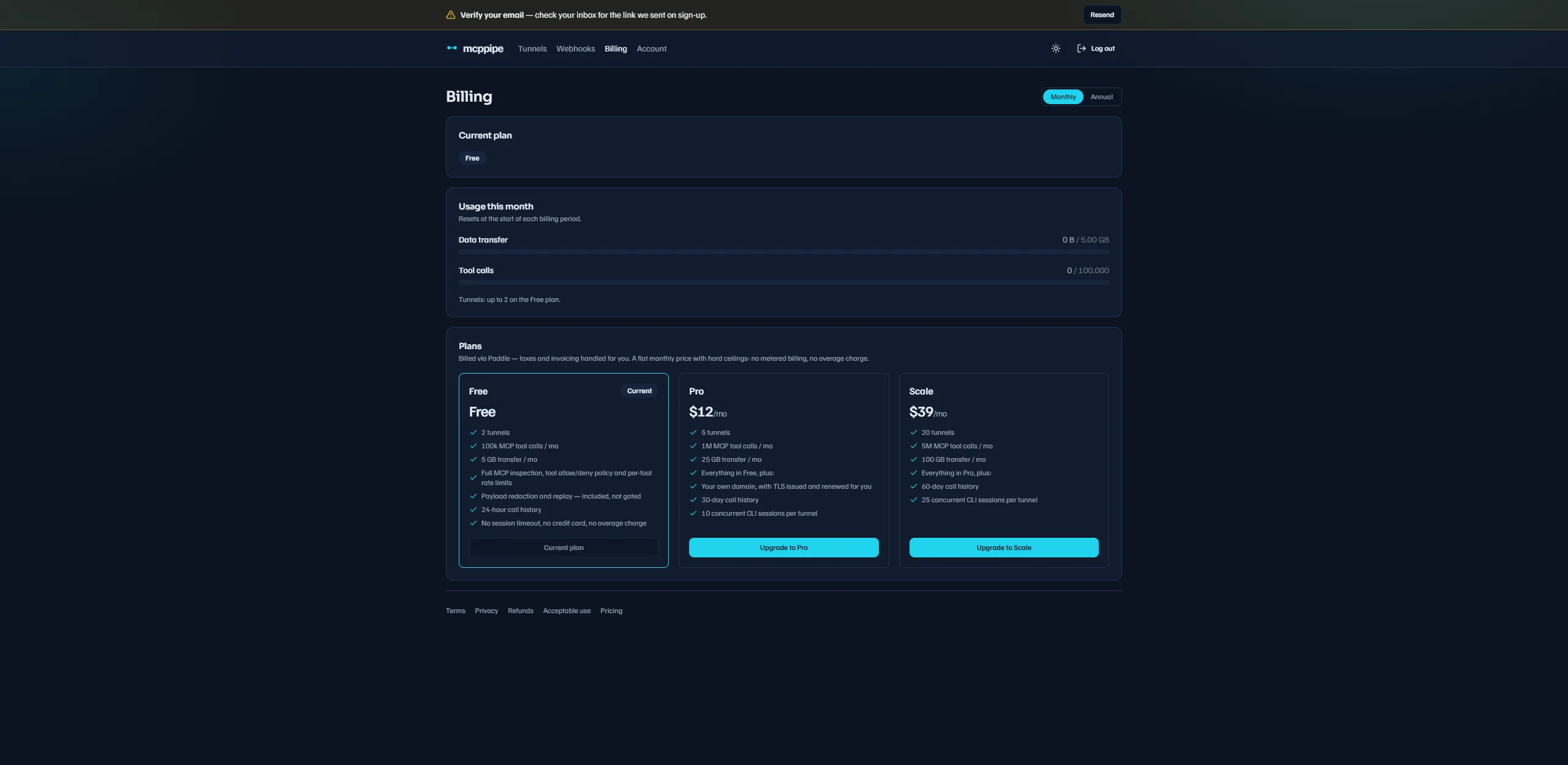 The Billing page shows current-period usage against your plan’s limits.
The Billing page (GET /api/billing) shows meters for the current month:
data transfer, tool calls, and your tunnel allowance. mcppipe keeps the live,
exact counters in Redis (and enforces against them); the meters are refreshed
from a periodic snapshot into Postgres, so they can lag the live counters by a
few minutes. Treat them as a usage gauge, not a real-time balance.
See also
Section titled “See also”- Reliability: reconnect & sessions — what the per-tunnel session cap means in practice.
- Webhooks — subscribe to the
quota.warningevent. - Dashboard reference — where the Billing page and tunnel limits live.