Authentication: OAuth & Service Tokens
By default a tunnel is pass-through: mcppipe forwards every request and leaves
the Authorization header alone for your own MCP server to interpret. When you want
mcppipe itself to gate access, switch the tunnel to OAuth mode. mcppipe then
behaves as an OAuth 2.1 Resource Server (per MCP spec 2025-11-25) and refuses any
request that does not carry a valid Bearer access token.
This page covers the per-tunnel auth mode, how mcppipe validates tokens, the consent screen for interactive agents, and Service Tokens for headless agents.
Auth modes
Section titled “Auth modes”Each tunnel has an auth mode, set in the tunnel’s Settings tab under Edge authentication:
- Legacy (default) — the tunnel is a pass-through. The inbound
Authorizationheader is sent straight to your MCP server untouched. Use this when your upstream does its own auth, or when you front the tunnel with the IP allowlist instead. - OAuth — mcppipe enforces an OAuth 2.1 Bearer token on every inbound request before routing it: Authorization Code + PKCE for interactive agents, or a Service Token for headless ones.
Flip the Require OAuth Bearer tokens toggle to switch. The change takes effect immediately on the next request.
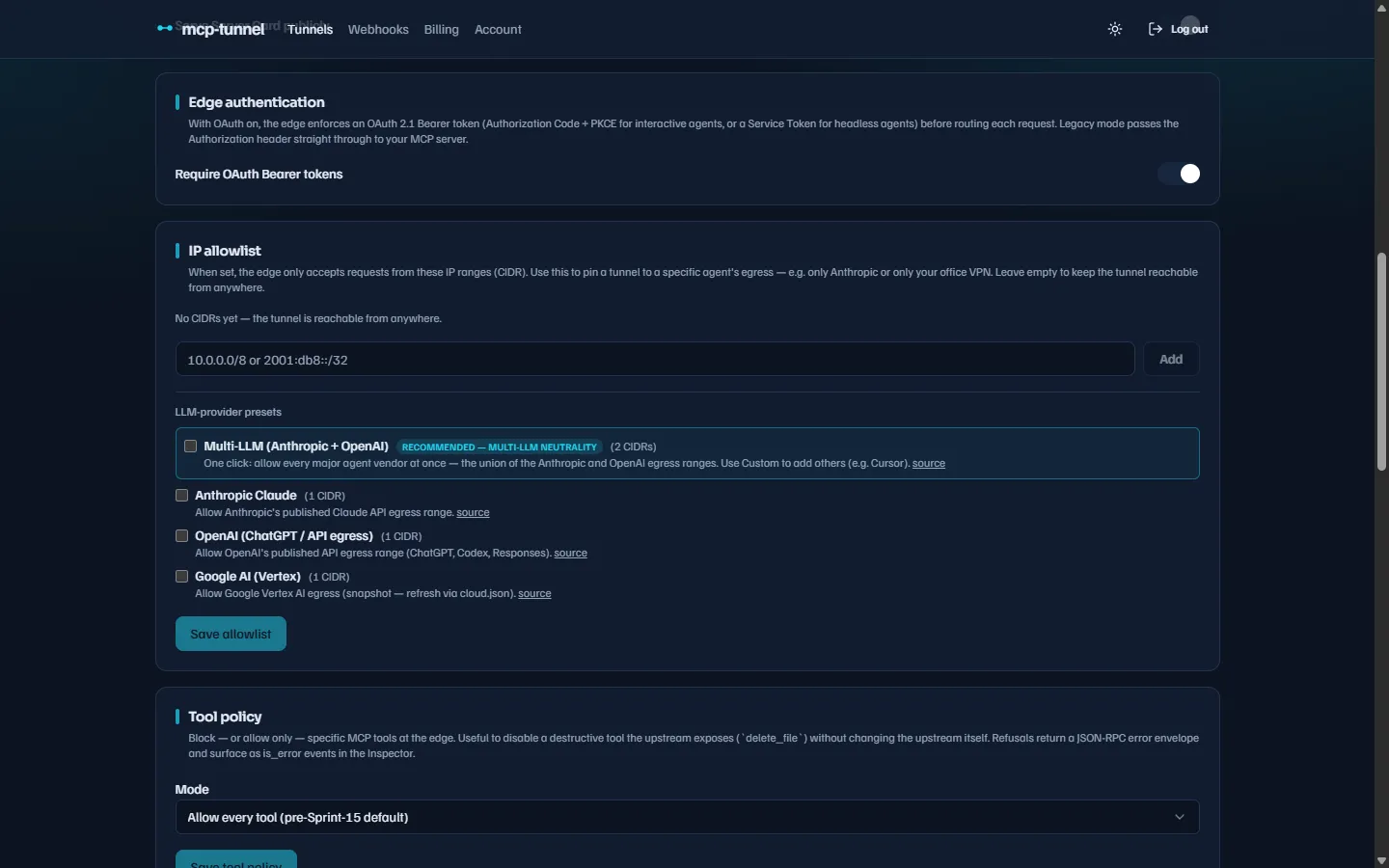 Edge authentication — toggling OAuth enforcement and revealing the Service Tokens section.
How mcppipe validates a token
Section titled “How mcppipe validates a token”On an OAuth-mode tunnel mcppipe runs these checks against the Authorization: Bearer
JWT, all offline against the issuer’s JWKS:
- Algorithm — only asymmetric signatures are accepted (RS256/384/512,
ES256/384, PS256/384/512). Symmetric (
HS*) andnoneare rejected outright, closing the JWT algorithm-confusion attack. - Signature,
exp,iss— verified against the configured issuer’s JWKS (cached for 5 minutes; an unknownkidforces an immediate re-fetch). - Audience (
aud) — must equal the tunnel’s canonical resource URI,https://<subdomain>--<account-slug>.<zone>(or your custom domain). This RFC 8707 check stops a token minted for a different resource being replayed here (the confused-deputy attack). - Tunnel pin (
tid) — the token is pinned to the exact tunnel UUID it was minted for. A freed<sub>--<slug>label reclaimed by a new tunnel within the same account gets a new UUID, so an old token no longer matches. - Revocation — the token’s consent id (
cid) is checked against a Redis denylist, so an owner’s revocation takes effect on the very next request even though the JWT is validated offline.
What a rejected request looks like
Section titled “What a rejected request looks like”A missing or invalid token returns 401 Unauthorized with a JSON body and an
RFC 9728 WWW-Authenticate challenge that points a spec-compliant client at where
to get a token:
HTTP/1.1 401 UnauthorizedWWW-Authenticate: Bearer error="invalid_token",  error_description="the access token is missing, expired, or invalid",  resource_metadata="https://api--acme.mcppipe.dev/.well-known/oauth-protected-resource"Content-Type: application/json
{  "error": "invalid_token",  "error_description": "this tunnel requires an OAuth 2.1 access token",  "resource_metadata": "https://api--acme.mcppipe.dev/.well-known/oauth-protected-resource"}
When no token is offered at all, the challenge is the bare form
WWW-Authenticate: Bearer resource_metadata="…" and error is unauthorized.
mcppipe fails closed: if a tunnel asks for OAuth but the service has no issuer configured, or the issuer’s JWKS cannot be reached, mcppipe returns 500 rather than letting the request through.
The Authorization Server
Section titled “The Authorization Server”mcppipe ships its own OAuth 2.1 Authorization Server (it is not a third-party
SaaS). It publishes RFC 8414 metadata at
/.well-known/oauth-authorization-server and a JWKS at /.well-known/jwks.json,
and exposes:
| Endpoint | Purpose |
|---|---|
GET /oauth/authorize | Start the Authorization Code + PKCE flow |
POST /oauth/token | Exchange the code (+ PKCE verifier) for tokens, or refresh |
POST /oauth/register | Dynamic Client Registration |
POST /oauth/revoke | Revoke a token |
PKCE is mandatory and only S256 is accepted (no plain). The single scope
issued is mcp (tunnel-level — the aud binds the token to one tunnel). Access
tokens live 900 seconds, refresh tokens 30 days, and authorization codes are
single-use with a 60-second lifetime.
Interactive agents: the consent screen
Section titled “Interactive agents: the consent screen”When an agent runs the Authorization Code flow, the Authorization Server parks the
request and redirects the tunnel owner’s browser to the consent screen at
/consent. There you review which agent is asking and which tunnel it wants —
client name, tunnel, endpoint, scope, and the agent id — then Approve or Deny.
Approving hands the browser back to the agent’s redirect URI with an authorization
code; denying returns error=access_denied. You can revoke an approved agent at any
time, which adds it to the denylist so mcppipe rejects its tokens on the next
request.
Service Tokens for headless agents
Section titled “Service Tokens for headless agents”Half of real-world traffic is server-side agents (LangChain, ADK, n8n, cron scripts)
where there is no browser to click through consent. A Service Token is a
long-lived JWT you mint once in the dashboard for exactly those agents. It is signed
by the same key, carries the same aud and tid, and is revoked through the same
denylist as an interactive token — from mcppipe’s point of view the only difference
is a tracing attribute.
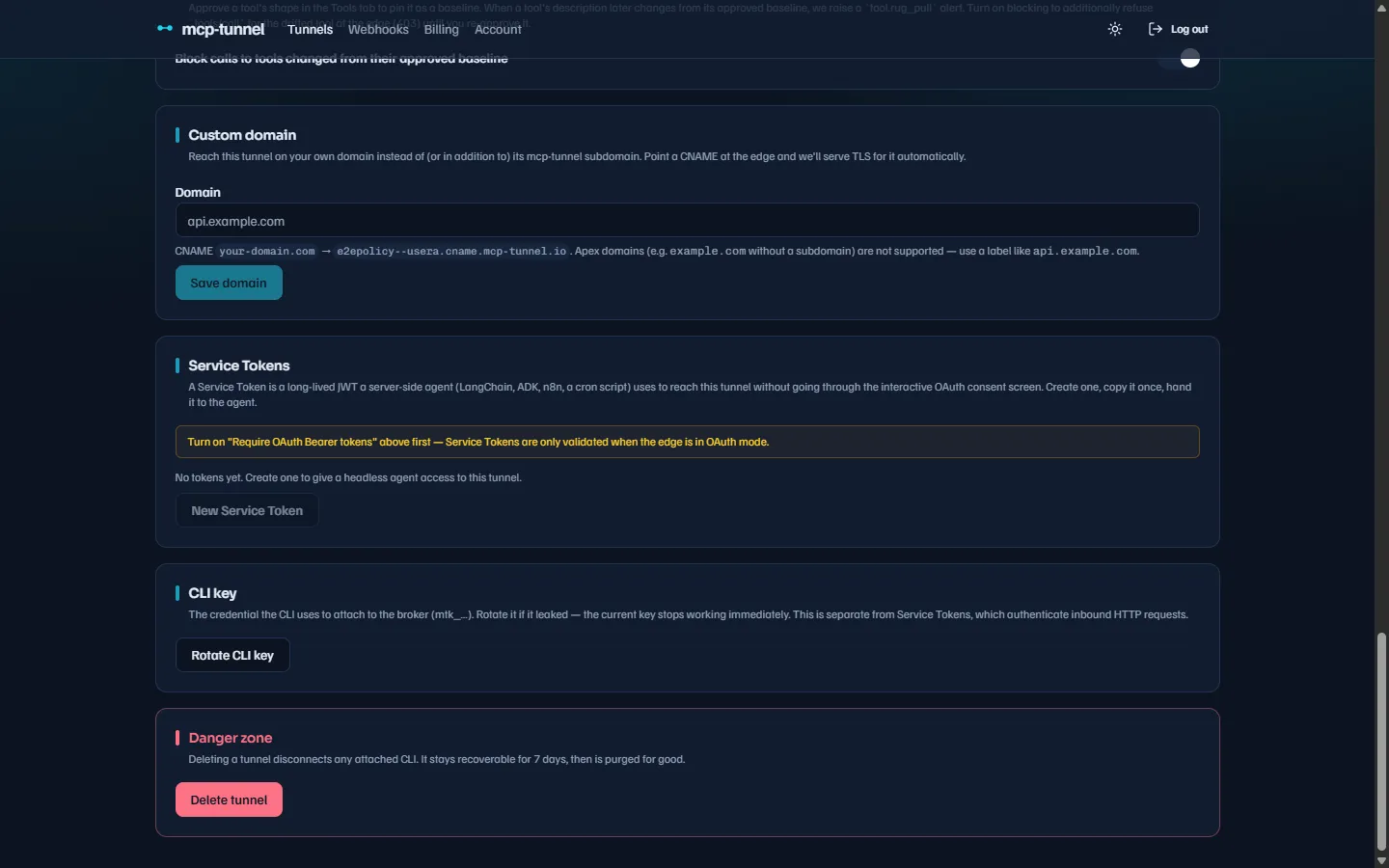 Service Tokens — minted from the tunnel’s Settings tab once OAuth mode is on.
To mint one, in the tunnel’s Settings tab open the Service Tokens section and choose New Service Token:
- Give it a recognisable name (up to 80 characters, e.g.
prod-langchain-agent). - Pick an Expires in of 30, 90, or 365 days.
- Create token — the JWT is shown exactly once. Copy it before you close the dialog; the clear value is never stored, and subsequent listings show metadata only.
Pass the token to your agent as an HTTP header:
Authorization: Bearer <service-token>Service Tokens require OAuth mode: the section only validates tokens when the
tunnel is set to Require OAuth Bearer tokens, and the API rejects a mint request
on a legacy tunnel. Rotation is “revoke and mint a new one”; revoking writes the
denylist marker so the token stops authenticating on the next request mcppipe sees.
Troubleshooting
Section titled “Troubleshooting”- 401 on every request — the tunnel is in OAuth mode but the agent has no valid
token, or the token’s
aud/tiddoes not match this tunnel. Check the token was minted for this exact tunnel and host. - 500 “OAuth is not configured on this edge” — a transient problem on mcppipe’s managed edge (the OAuth issuer/JWKS was momentarily unreachable), not something you configure. Retry, and contact support if it persists.
- Token stopped working after a revoke — that is by design; mint a new one.
See Troubleshooting for the full status-code reference, and IP allowlist & access control for network-level gating you can combine with OAuth.